HisGrace CBT Examination Software
Create and conduct Computer Based Tests for students — with support for both server-controlled and server-less examinations.
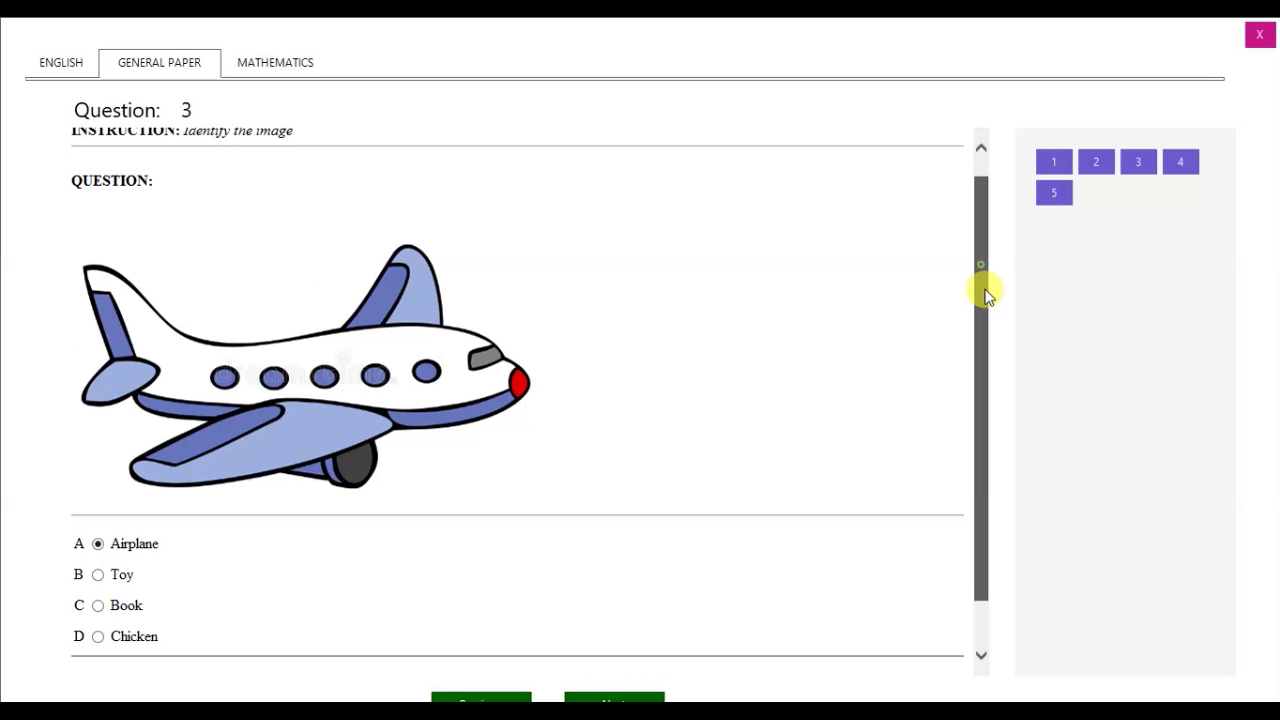
Conduct Exams with Confidence
HisGrace CBT Exam Software is designed for schools to create and conduct Computer Based Tests. It features easy-to-setup applications with an intuitive interface for creating questions, conducting examinations, and managing results — with the unique capability to support both server-controlled and server-less examinations.
Everything You Need for CBT
Answer Types
Multiple Choices with Single Answer, Multiple Choices with Multiple Answers, and Fill in the Blanks.
Create Questions with Ease
Create questions with built-in tools or copy and paste equations, images, symbols, tables from any application (e.g. MS Word).
Instant Results
Marks examinations and displays results instantly for the examinee.
Resume Examination
Examinees can resume their examinations when there is power or system failure.
Import & Merge Questions
Import from MS Word and Excel. Merge questions created by multiple users into one exam module.
Comprehension / Essay
Create questions with essay or comprehension passages with ease.
Multilingual Questions
Type questions in any language — English, French, Arabic, Hebrew, and more.
Assign Subjects & Logins
Assign different subjects to different examinees and manage login details with ease.
Export Scripts & Data
Export questions, answers, and score summaries to PDF. Export results by subjects or examinees to MS Excel.
Inspect & Print Questions
Inspect questions for issues (no answer, empty options) and print examination questions with answer options.
Results Analysis
Detailed analysis — questions attempted, wrongly answered, average percentage, and more.
Auto-Backup & Time Limit
Automatic backup of question files and configurable time limits for examinations.
Why Choose HisGrace CBT Software?
CBT Applications

HisGrace Exam Maker
Creates examination questions based on subjects. Add examinees to the examination and define the settings.

HisGrace Examiner
Conducts examinations for examinees and manages server-less examinations where no local network is available.

HisGrace ExaminerX
Manages and monitors examinations in real time from the server — remotely controlling and monitoring examinees' activities.
HisGrace Examiner vs ExaminerX
HisGrace Examiner
$1 per Computer / 30 days
- Upload exam modules to each computer via removable drives
- No network needed to conduct examinations
- Check examinees results
- View examinees answers
- Unsubmit/Resubmit examination
- Clear examination results
- Activate / Deactivate exam modules
- Live updates of connected examinees
- View active connections
- Pause / Resume time remotely
- Log out examinee remotely
- Capture screen/webcam remotely
- Send notifications to connected PCs
- Shutdown / Restart PCs remotely
HisGrace ExaminerX
$1.20 per Connection / 30 days
- Upload exam modules once (server)
- Local network required for exams
- Check examinees results
- View examinees answers
- Unsubmit/Resubmit examination
- Clear examination results
- Activate / Deactivate exam modules
- Live updates of connected examinees
- View active connections
- Pause / Resume time remotely
- Log out examinee remotely
- Capture screen & webcam remotely
- Send toast notifications to connected PCs
- Shutdown / Restart PCs remotely
System Requirements
- Supported OS: Windows 7, 8, 10, 11 (32-bit and 64-bit).
- HisGrace Exam Maker: Requires .NET Framework 4.0
- HisGrace Examiner & ExaminerX: Require .NET Framework 4.5
Frequently Asked Questions
How do I set up the server-controlled CBT?
There are two options — use a web browser or the HisGrace Examiner application. Install HisGrace ExaminerX on the server computer and upload the exam modules. Then either install HisGrace Examiner on all client computers (configure in server mode with the server IP), or have examinees use a web browser with the IP Address and port number. Ensure all computers are on the same network.
How do I set up the server-less CBT?
Install HisGrace Examiner on all computers and upload the exam module to each computer.
What kind of network infrastructure is best?
Any type — LAN or Wireless Network with high speed is good enough. Contact an engineer for further advice on network setup.
What is the maximum number of computers that can connect to the server?
It depends on your operating system, server hardware, and network configuration. We strongly recommend testing your setup with the expected number of users before live deployment.
I don't have any network infrastructure?
You can opt for the server-less CBT or set up a local network on your computers.
What is exam module?
Exam module contains examination questions, settings, and examinees. It is published through HisGrace Exam Maker.
How do I create examination questions and module?
HisGrace Exam Maker is needed to create examination questions and modules.
What are the limitations in trial mode?
You can test the whole CBT Software to any length. The only limitation is the examination duration, which is limited to five (5) minutes for each test.
How many examinees can take examination on a licensed computer?
It is unlimited.
Do I need to activate the license key on all computers?
For server-controlled CBT, you only need to activate on one computer (the server — HisGrace ExaminerX). For server-less CBT, you need to activate on each computer used for examinations (HisGrace Examiner).
Can I use the same license key for Examiner and ExaminerX?
No, they are licensed differently.
Is the license key transferrable?
No, the license is not transferrable to another PC once activated.
How do I subscribe?
Click the Subscribe button on the License window through the Application or click the Subscribe button at the Licensing Section above.
What is the cost of this software?
Server-controlled examination costs $1.20 per connection for 30 days, while server-less examination costs $1 per computer for 30 days.
Do I need an internet connection to conduct examinations?
Only a local network (intranet) is required. Internet connection is only needed for license activation.
I have other questions
Don't hesitate to fill this form or start a WhatsApp chat with us and we will respond within 24 hours.
Video Tutorials
Try It for Free
Try HisGrace CBT Examination Software for free today. No email or credit card required. Default credentials — Username: admin, Password: admin