HisGrace Gestio RPS
The ultimate school results management software for Pre-primary, Primary, and Secondary/High Schools. Generate computerized report sheets effortlessly.
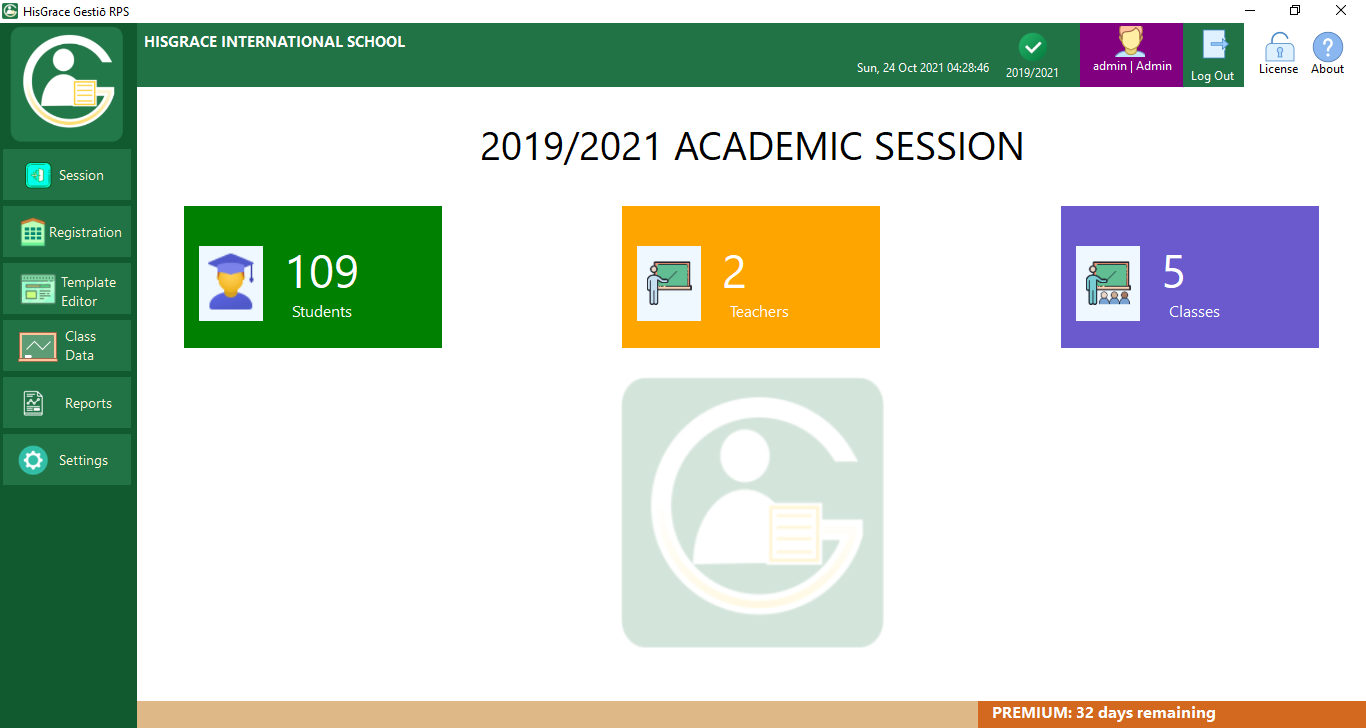
Stress-Free Student Report Sheets
HisGrace Gestio RPS manages students' score data and generates computerized results with an intuitive, user-friendly interface — eliminating human errors and saving you valuable time.
With HisGrace Gestio RPS, You Can
Effortless Result Generation
Say goodbye to tedious pen input! Effortlessly generate each student's report sheet, saving valuable time and effort.
Customizable Result Templates
Tailor result templates for different classes, ensuring a personalized experience for your students.
Multi-School Management
Manage scores and results for multiple schools in a single package, streamlining your administrative tasks.
Email Report Sheets
Automatically forward soft copies (PDF) of each student's report sheet to their respective email addresses.
Comprehensive Result Analysis
Generate cumulative results and in-depth analysis (broadsheet) for each class and subject.
Seamless Printing & Export
Quickly print reports directly to your printer or export them to PDF for easy sharing and record-keeping.
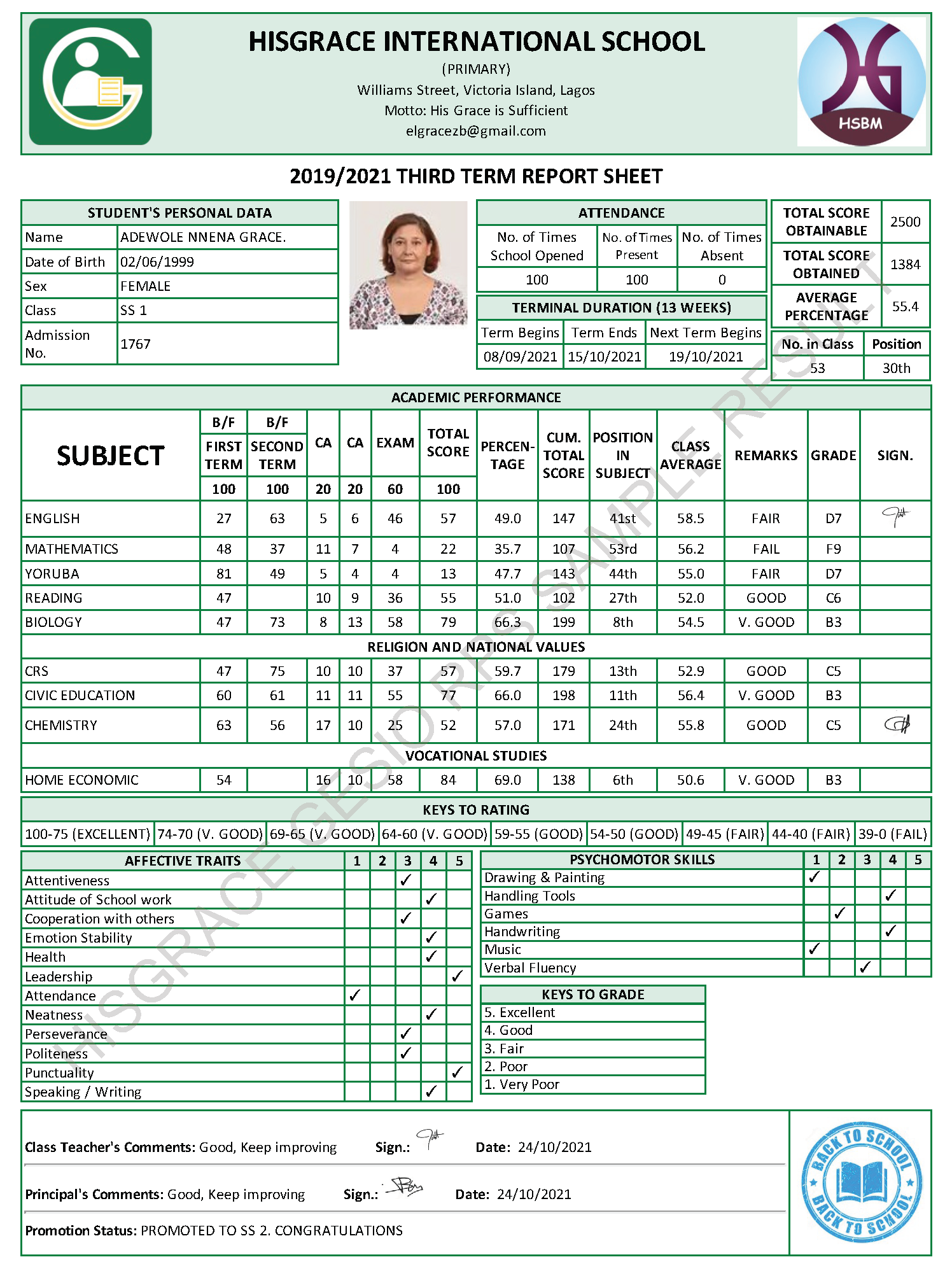
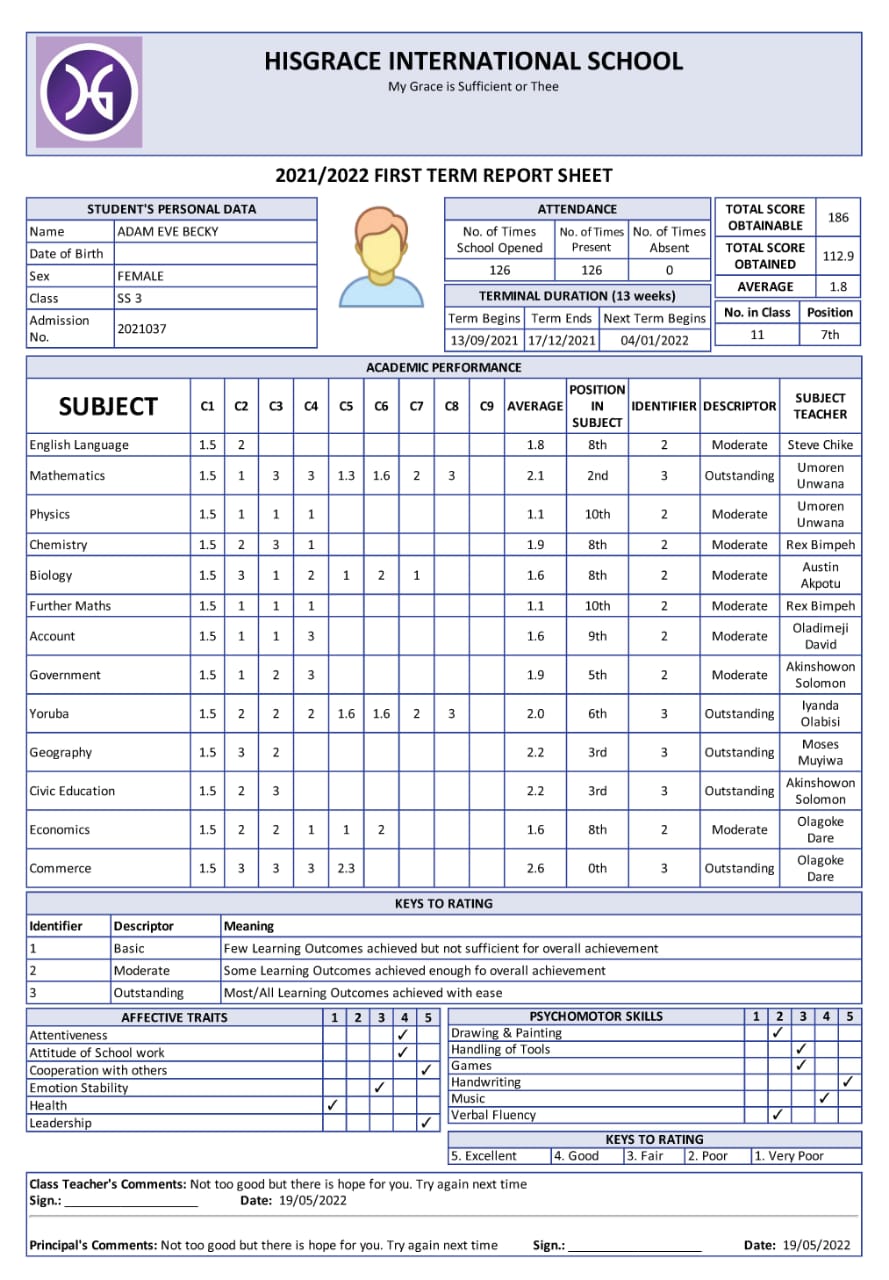
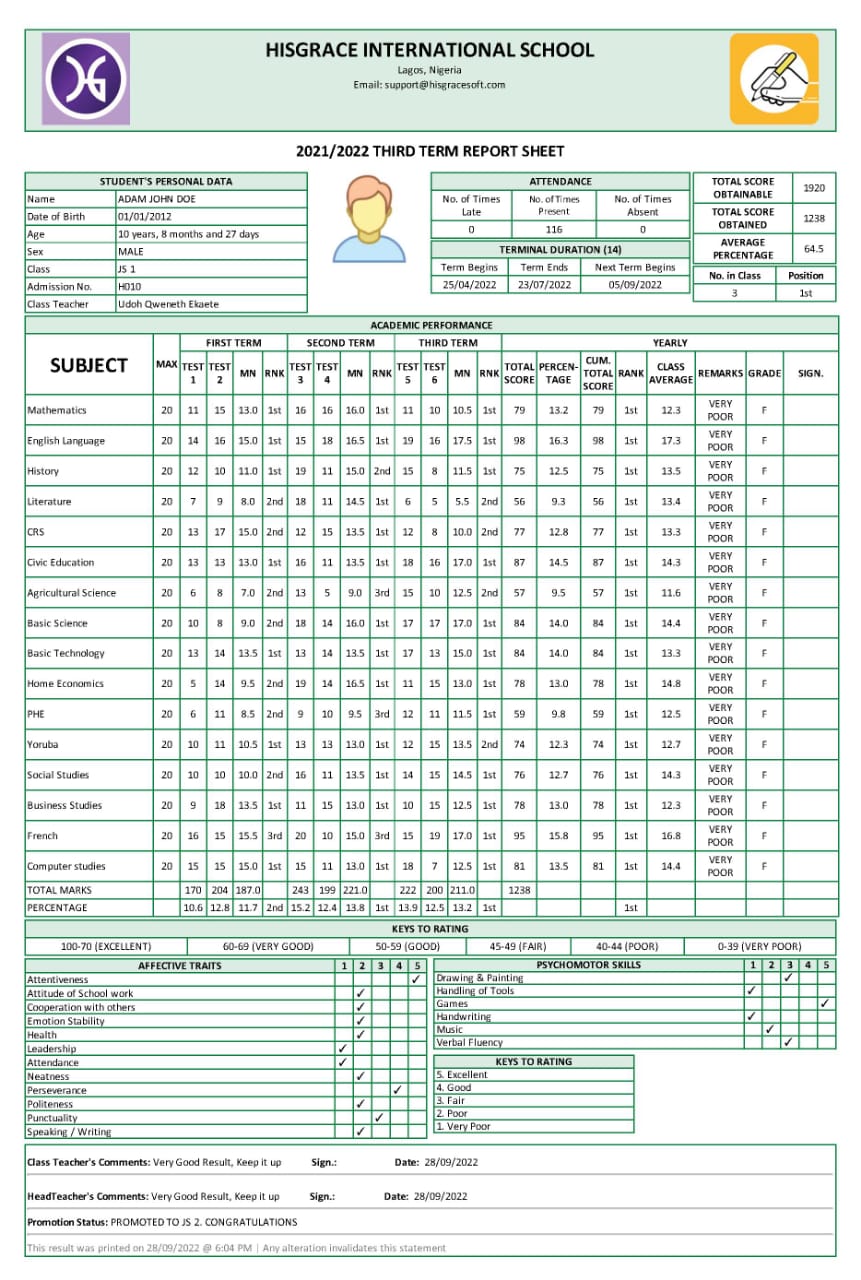
Result Samples
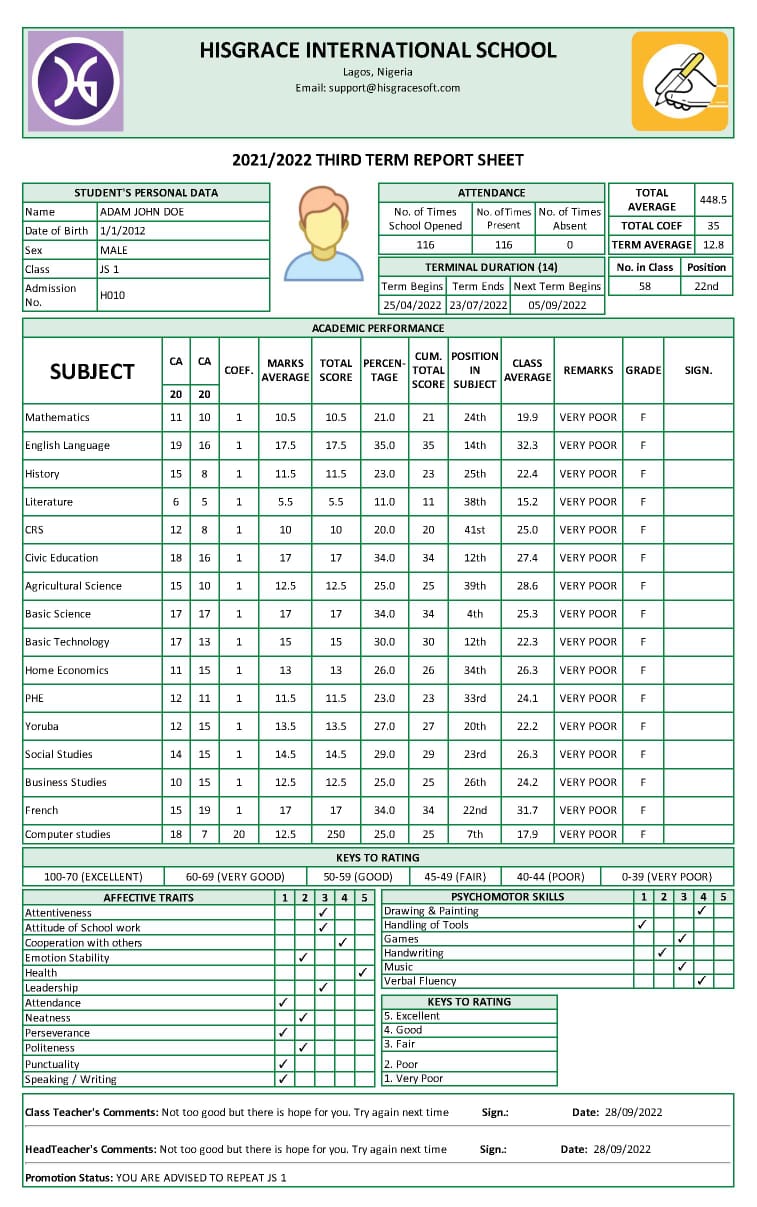
Why HisGrace Gestio RPS Stands Out
System Requirements
- Windows 7, 8, 10, and 11 (32-bit and 64-bit).
- .NET Framework 4 and above is required.
Pricing Plans
Basic
- Manage and generate unlimited student results
- Export report sheets to PDF
- Print report sheets directly
- Backup and restore database
- Customize result templates
- Free updates and customer support
- Manage teachers' profiles
- View and export class broadsheet
- View and export subject broadsheet
- Identify subject champions
- Auto forward results to students' email
Premium
- Manage and generate unlimited student results
- Export report sheets to PDF
- Print report sheets directly
- Backup and restore database
- Customize result templates
- Free updates and customer support
- Manage teachers' profiles
- View and export class broadsheet
- View and export subject broadsheet
- Identify subject champions
- Auto forward results to students' email
Frequently Asked Questions
Can HisGrace Gestio RPS be used by multi-users?
The software can't share its database in a networked environment. However, the ICT Admin/Exam Officer can generate Microsoft Excel templates to forward to their respective teachers/users — such as class list, score sheet, attendance sheet, psychomotor sheets. When they are through, the ICT Admin/Exam Officer can upload them back to the application database.
Can I use this software on multiple computers in a network?
No, the desktop version is designed for use on a single computer. If you need multi-user access, consider our web version, HisGrace Gestio RPS Web, which supports multi-user functionality.
Can I use same subscription license for different PCs?
No, you can't.
I have Primary and Secondary Schools, can I use one license for both?
You can only use one subscription license if they share the same details like logo, school name, school head, etc. Otherwise, you'll need two licenses.
How many students can I use a license for?
It is unlimited.
What if I get a new PC, how can I transfer my data?
You can do a backup and restore it on the new PC.
Can students access their results online?
No, they can only get access if sent to their email address. For online access with secure PINs, use HisGrace Gestio RPS Web.
How do I subscribe?
Click the Subscribe button on the License window through the Application or click the Pricing / Buy Now button below.
What is the cost of this software?
Click the Pricing / Buy Now button below to see pricing details.
Do I need internet connection to use the software?
No, it is an offline program. You only need internet to forward results to email or check for updates.
What if I need to manage results from multiple locations?
We recommend HisGrace Gestio RPS Web, which is designed for online access across different locations.
I have other questions
Don't hesitate to fill this form or start a WhatsApp chat with us and we will respond within 24 hours.
Video Tutorial
Documentation
Detailed how-to guide for getting the most out of Gestio RPS.
Try It for Free
Discover HisGrace Gestio RPS with a FREE trial for up to 10 students. No email or credit card required.